
 Антарес 2000


Особистий кабінет тепер доступний кожному
You can pay for security services and track of your bill with comfort!
STEP BY STEP INTRUCTIONS FOR USE
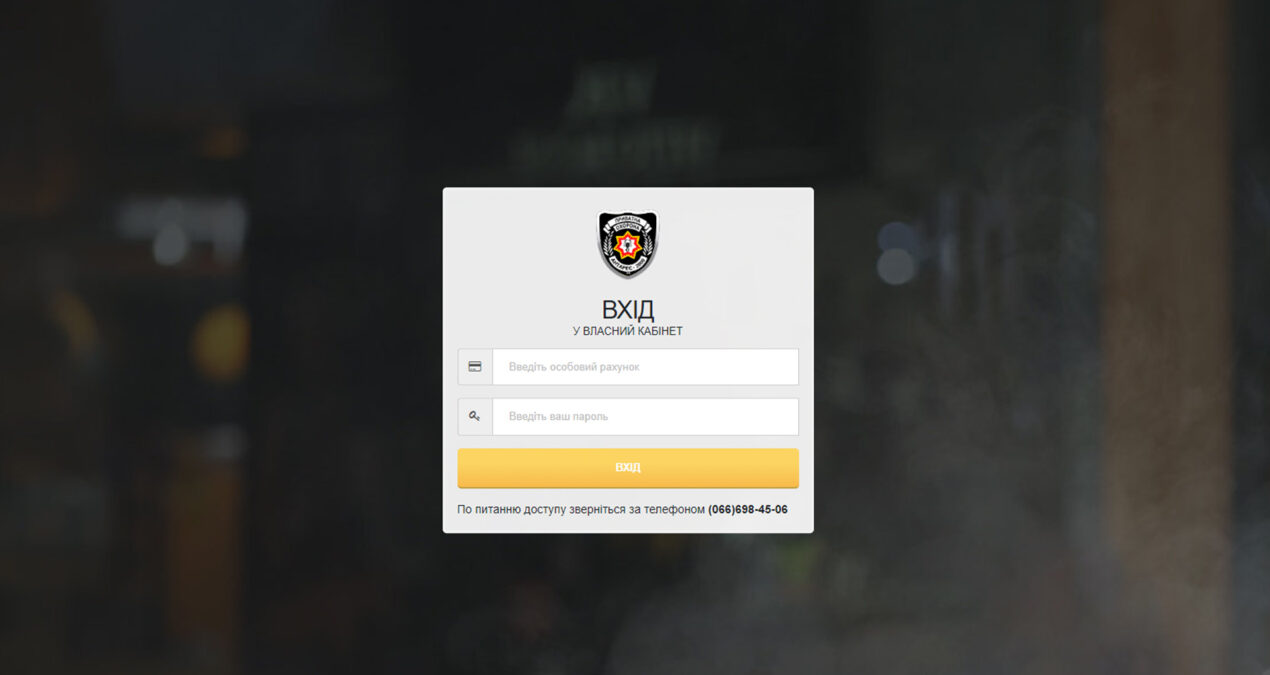
Find the tab “Cabinet” on the main page of our website and go to the page of your personal account
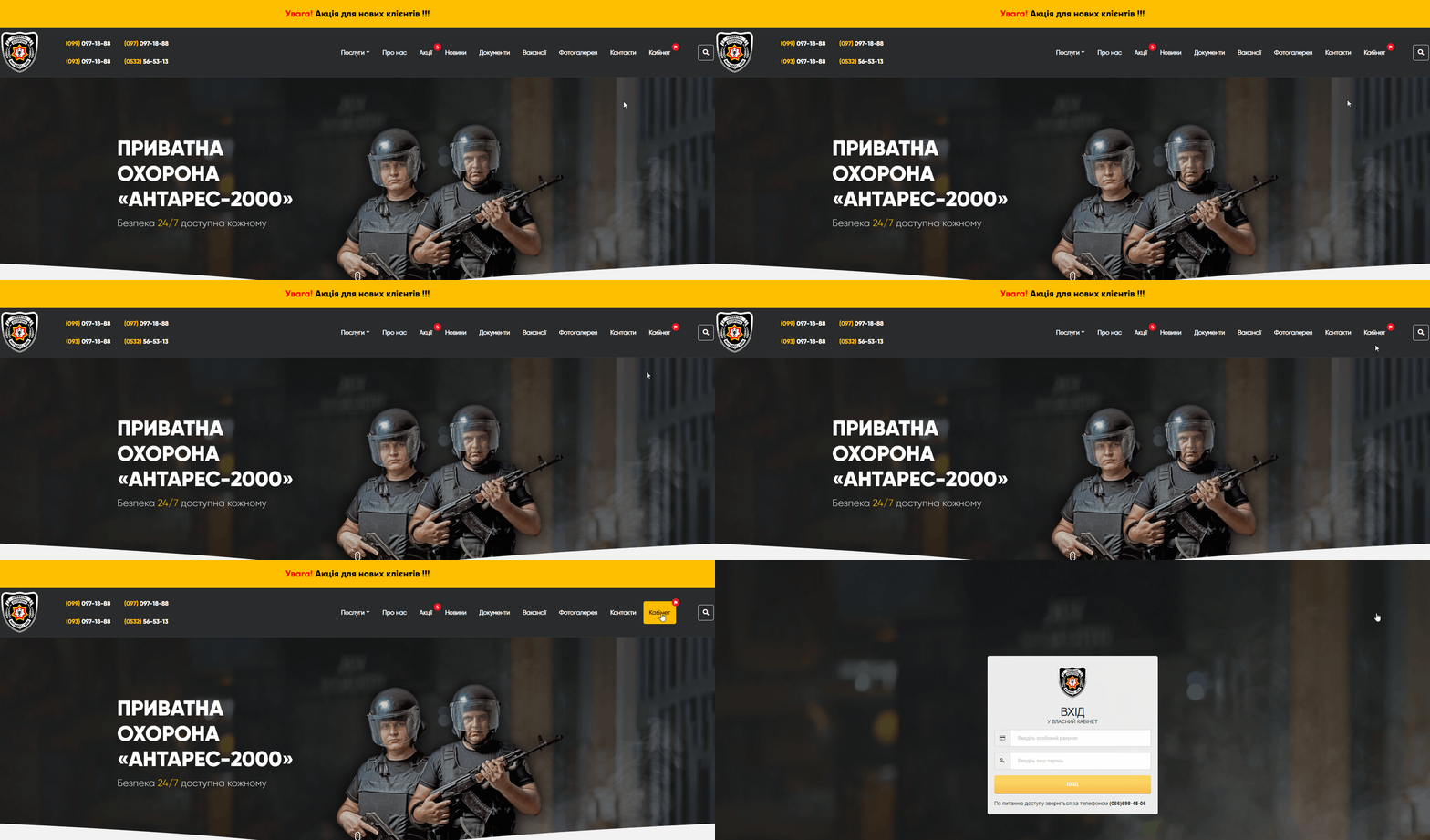
Further, enter your personal account number and password. (When you log in for the first time, your personal account number will be used as a password)

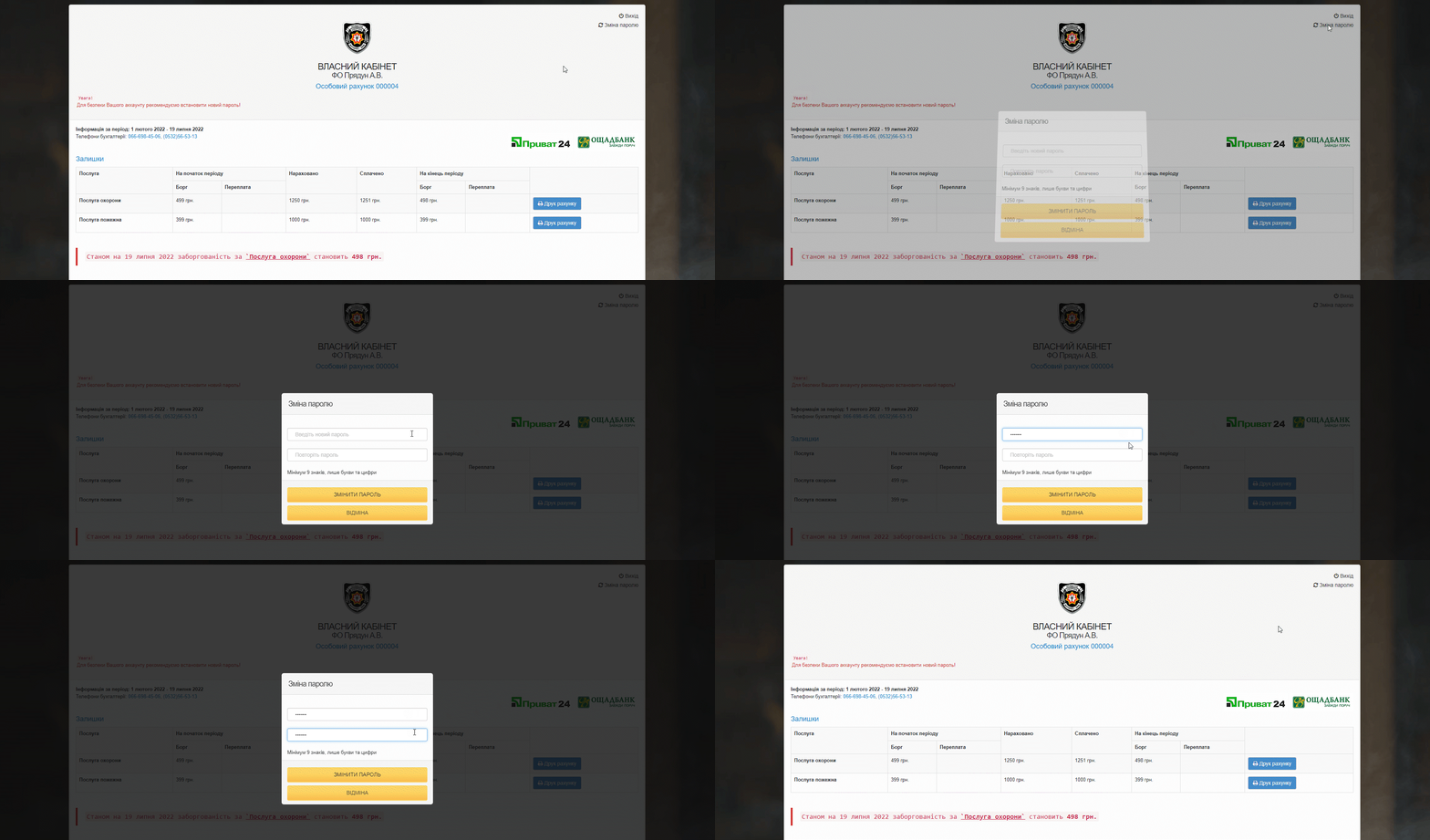
It is advised to change the default password to your personal one after the first login.
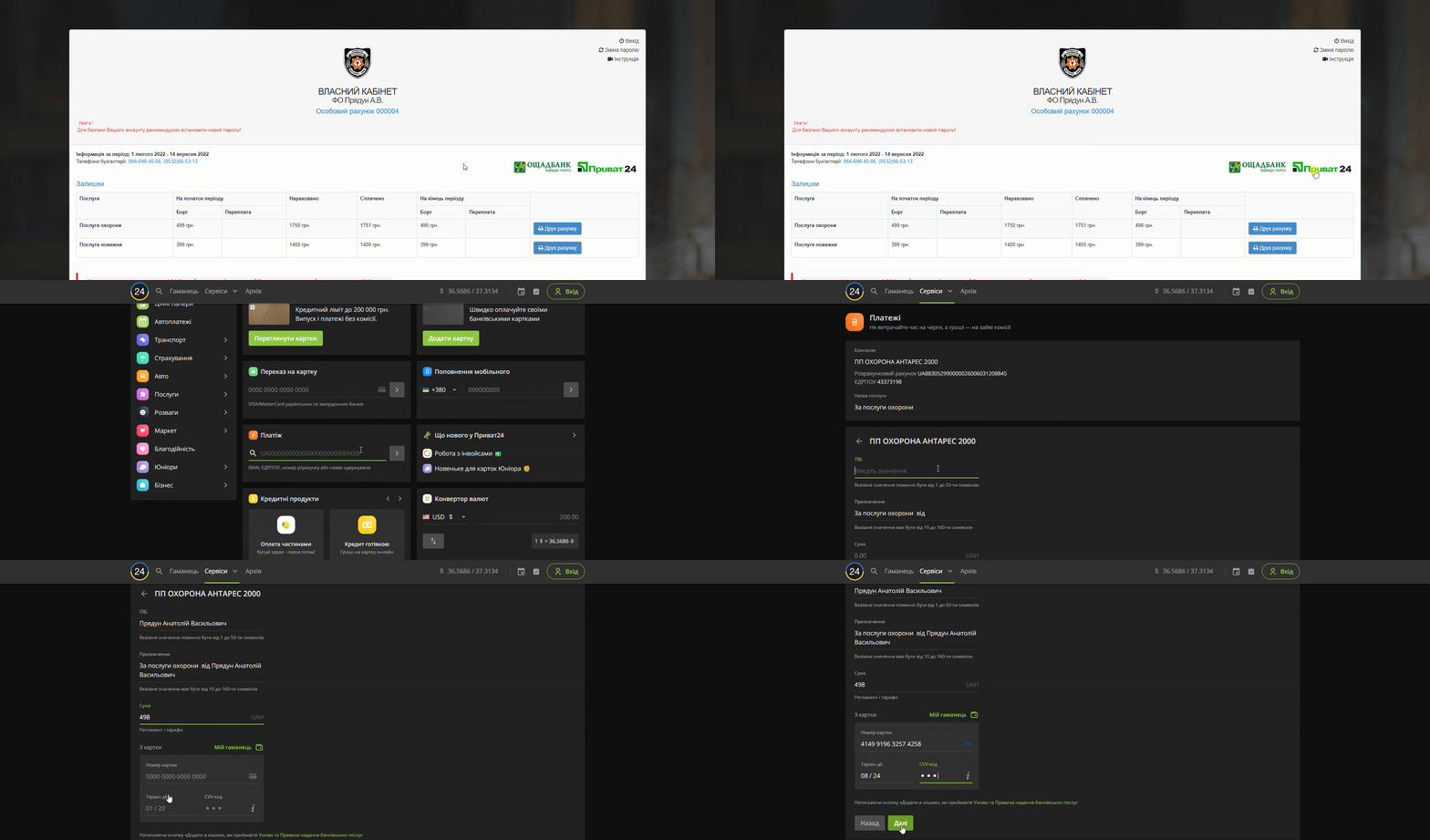
You can open the last bill and copy the IBAN number for the first payment. Go to privat24 or oshchad24 then and pay for security services using the IBAN. Please note that it is necessary to indicate the personal account number in the assigned payment when making a payment.
 You can pay for security services and track of your bill with comfort!
STEP BY STEP INTRUCTIONS FOR USE
Find the tab “Cabinet” on the main page of our website and go to the page of your personal account
Further, enter your personal account number and password. (When you log in for the first time, your personal account number will be used as a password)
It is advised to change the default password to your personal one after the first login.
You can open the last bill and copy the IBAN number for the first payment. Go to privat24 or oshchad24 then and pay for security services using the IBAN. Please note that it is necessary to indicate the personal account number in the assigned payment when making a payment.
You can pay for security services and track of your bill with comfort!
STEP BY STEP INTRUCTIONS FOR USE
Find the tab “Cabinet” on the main page of our website and go to the page of your personal account
Further, enter your personal account number and password. (When you log in for the first time, your personal account number will be used as a password)
It is advised to change the default password to your personal one after the first login.
You can open the last bill and copy the IBAN number for the first payment. Go to privat24 or oshchad24 then and pay for security services using the IBAN. Please note that it is necessary to indicate the personal account number in the assigned payment when making a payment.
You can pay for security services and track of your bill with comfort!
STEP BY STEP INTRUCTIONS FOR USE
Find the tab “Cabinet” on the main page of our website and go to the page of your personal account
Further, enter your personal account number and password. (When you log in for the first time, your personal account number will be used as a password)
It is advised to change the default password to your personal one after the first login.
You can open the last bill and copy the IBAN number for the first payment. Go to privat24 or oshchad24 then and pay for security services using the IBAN. Please note that it is necessary to indicate the personal account number in the assigned payment when making a payment.
You can pay for security services and track of your bill with comfort!
STEP BY STEP INTRUCTIONS FOR USE
Find the tab “Cabinet” on the main page of our website and go to the page of your personal account
Further, enter your personal account number and password. (When you log in for the first time, your personal account number will be used as a password)
It is advised to change the default password to your personal one after the first login.
You can open the last bill and copy the IBAN number for the first payment. Go to privat24 or oshchad24 then and pay for security services using the IBAN. Please note that it is necessary to indicate the personal account number in the assigned payment when making a payment.
You can pay for security services and track of your bill with comfort!
STEP BY STEP INTRUCTIONS FOR USE
Find the tab “Cabinet” on the main page of our website and go to the page of your personal account
Further, enter your personal account number and password. (When you log in for the first time, your personal account number will be used as a password)
It is advised to change the default password to your personal one after the first login.
You can open the last bill and copy the IBAN number for the first payment. Go to privat24 or oshchad24 then and pay for security services using the IBAN. Please note that it is necessary to indicate the personal account number in the assigned payment when making a payment.
You can pay for security services and track of your bill with comfort!
STEP BY STEP INTRUCTIONS FOR USE
Find the tab “Cabinet” on the main page of our website and go to the page of your personal account
Further, enter your personal account number and password. (When you log in for the first time, your personal account number will be used as a password)
It is advised to change the default password to your personal one after the first login.
You can open the last bill and copy the IBAN number for the first payment. Go to privat24 or oshchad24 then and pay for security services using the IBAN. Please note that it is necessary to indicate the personal account number in the assigned payment when making a payment.
You can pay for security services and track of your bill with comfort!
STEP BY STEP INTRUCTIONS FOR USE
Find the tab “Cabinet” on the main page of our website and go to the page of your personal account
Further, enter your personal account number and password. (When you log in for the first time, your personal account number will be used as a password)
It is advised to change the default password to your personal one after the first login.
You can open the last bill and copy the IBAN number for the first payment. Go to privat24 or oshchad24 then and pay for security services using the IBAN. Please note that it is necessary to indicate the personal account number in the assigned payment when making a payment.